AutoTable — One-Click Spreadsheet Cleaner



AutoTable is a specialized SaaS application engineered for high-efficiency spreadsheet sanitization. It addresses the common pain points of knowledge workers by automating the transformation of messy, inconsistent tabular data into validated, ready-to-use formats.
Table of Contents
- Product Overview
- Feature Specification
- Technical Architecture
- Programmatic API Specification
- Development and Onboarding
- Security and Compliance
Product Overview
AutoTable provides a frictionless workflow for users dealing with survey data, payroll exports, research logs, and administrative records. The system is built on a "Privacy-First" architecture where files are ephemeral and processing is handled in memory before being committed to a secure, short-term database storage.
Key Value Propositions
- Operational Efficiency: Reduces spreadsheet cleaning time from hours to seconds.
- Accuracy: Implements deterministic algorithms for type coercion and normalization.
- Privacy Core: Automated TTL (Time-To-Live) for all uploaded datasets ensures data sovereignty.
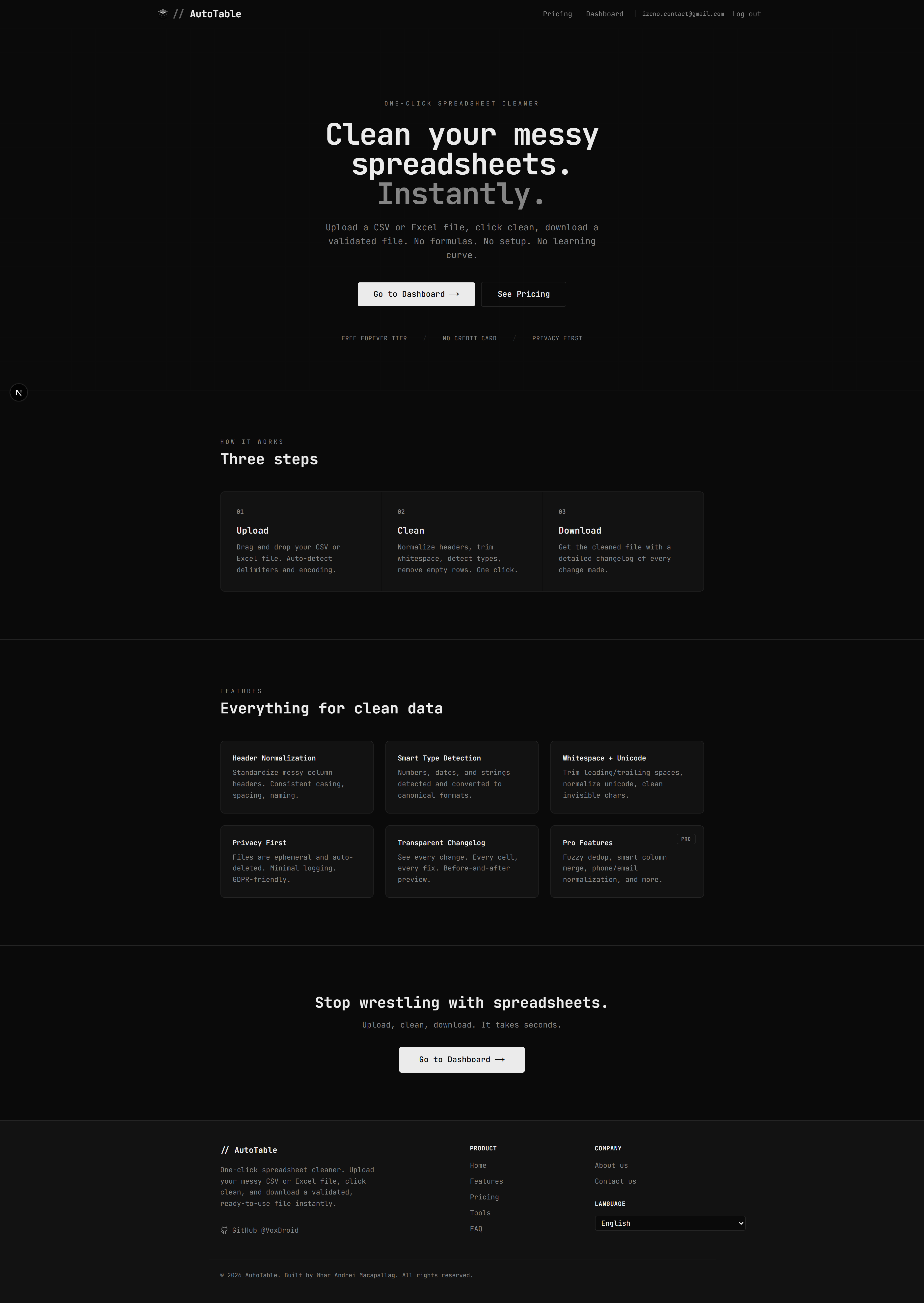
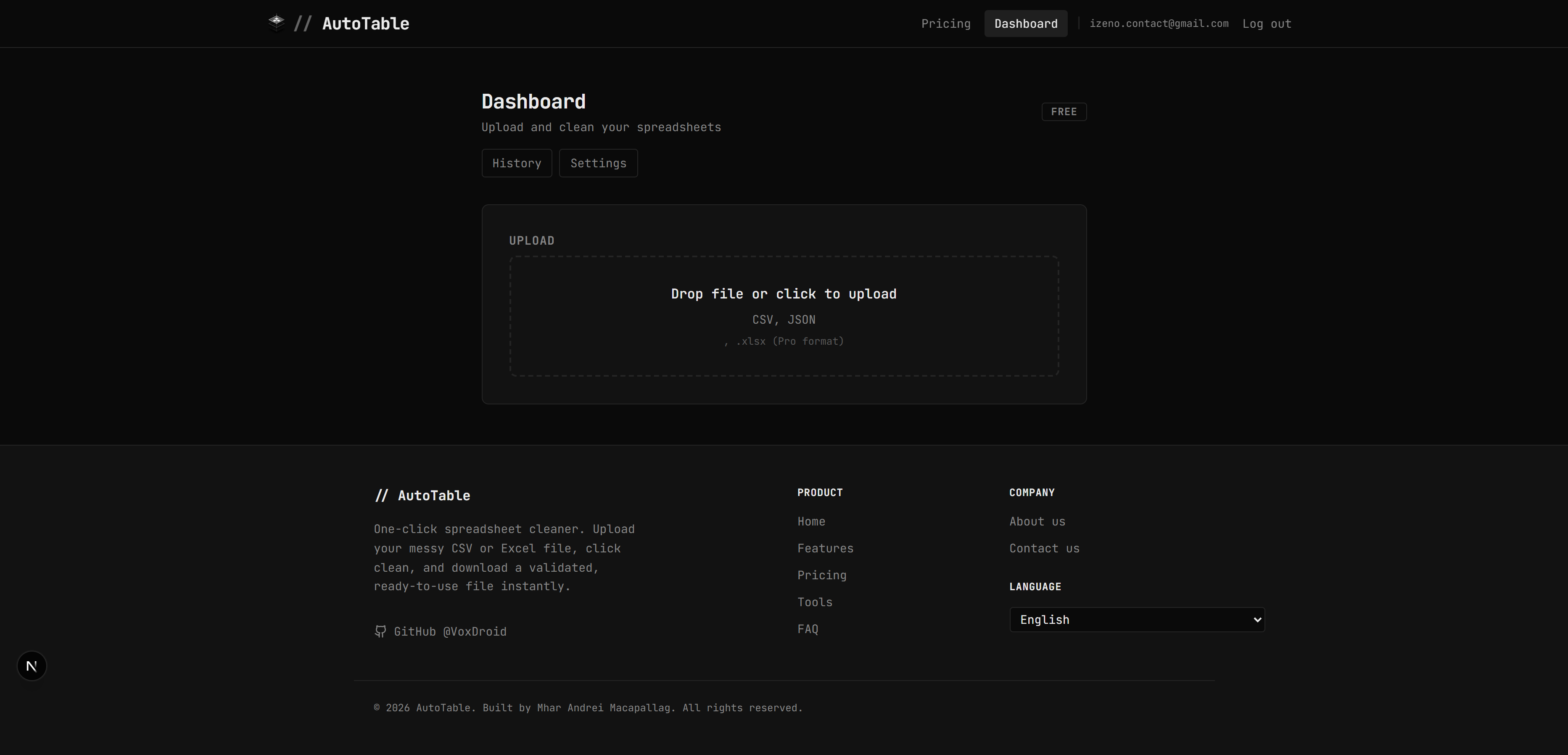
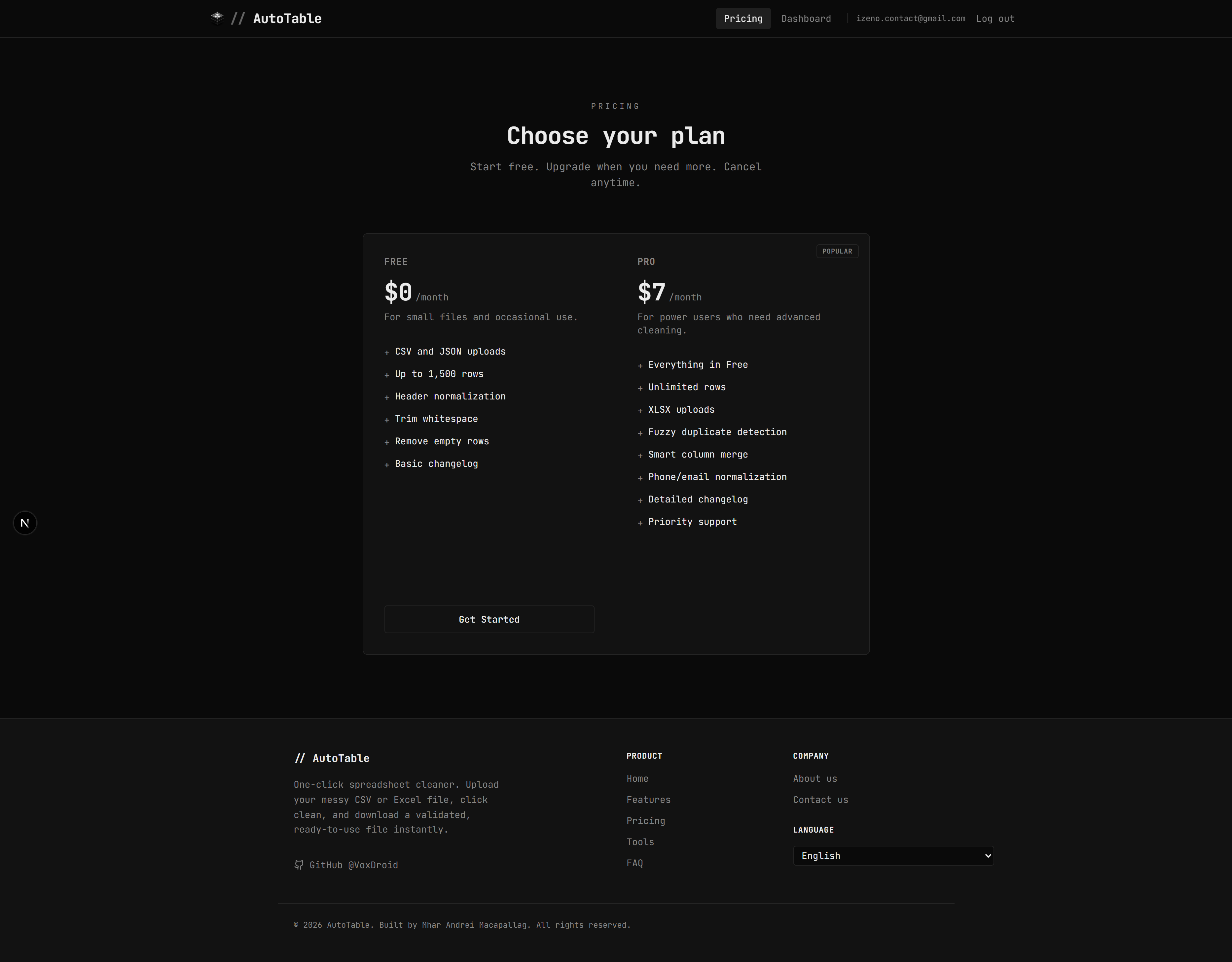
Application Preview
Landing Page

User Dashboard (Upload Interface)

Pricing and Subscription Plans

Feature Specification
Automated Cleaning Pipeline
The core engine (lib/cleaner.ts) executes a multi-stage, idempotent transformation pipeline:
- Header Normalization: Converts inconsistent headers into standardized snake_case format, stripping illegal characters and whitespace.
- Whitespace and Unicode Sanitization: Executes deep trimming and NFC normalization to remove hidden character artifacts.
- Deterministic Type Detection: Identifies and coerces values into canonical Number, Date, and Boolean types.
- Structural Optimization: Identifies and removes null/empty rows based on configurable density thresholds.
Advanced Pro Module
Subscription-tier users gain access to advanced heuristic-based features:
- Fuzzy Deduplication: Utilizes similarity scoring to identify nearly identical records that standard exact-match filters miss.
- Smart Column Merging: Heuristically detects related fields (e.g.,
firstname,lastname) and combines them into structured entities. - Contact Standardization: Normalizes international phone formats and standardizes email casing.
- Multi-Format Support: Unlocks processing for Excel (.xlsx) and JSON formats alongside standard CSV.
Technical Architecture
Tech Stack
AutoTable utilizes a modern, typed stack designed for scalability and performance:
- Frontend: Next.js 15 (App Router), React 18, Tailwind CSS.
- State Management: React Hook Form with Zod validation.
- Component Library: Radix UI primitives for accessible design.
- Core Logic: TypeScript-based processing engine supplemented by
xlsxandcsv-parse. - Persistence: PostgreSQL (via Supabase) utilizing Row Level Security (RLS) policies.
- Authentication: Multi-modal (Magic Link / Password) Supabase Auth.
- Financials: PayPal API integration for subscription lifecycle management.
- Infrastructure: Sentry (Error Tracking), Vitest (Testing), GitHub Actions (CI/CD).
Project Methodology
Directory structure follows a modular Next.js architecture:
| Directory | Responsibility |
|---|---|
/app | Routing, API endpoints, and server-side logic |
/components | Isolated UI components and Design System |
/lib | Business logic, database clients, and service layer |
/locales | i18n translation maps for global support |
/scripts | Infrastructure migrations and utility scripts |
Programmatic API Specification
AutoTable exposes a RESTful API for batch processing.
Endpoint: POST /api/clean
Authentication: Supabase JWT Session required.
Payload: multipart/form-data
file: One or more files (Bulk supported for Pro users).operations: JSON string defining cleaning toggles (e.g.,{"removeDuplicates": true}).
Response Structure:
{
  "success": true,
  "results": [
    {
      "jobId": "uuid",
      "filename": "data.csv",
      "rowsOriginal": 1200,
      "rowsCleaned": 1150,
      "downloadUrl": "/api/download/uuid?format=csv"
    }
  ]
}
Development and Onboarding
Prerequisites
- Node.js >= 18.x
- pnpm >= 9.x
- PostgreSQL / Supabase Instance
Local Setup
- Clone and Install:
git clone https://github.com/VoxDroid/AutoTable.git cd AutoTable pnpm install - Environment Configuration:
Configure
.envwith the following variables:DATABASE_URL= NEXT_PUBLIC_SUPABASE_URL= NEXT_PUBLIC_SUPABASE_ANON_KEY= PAYPAL_CLIENT_ID= PAYPAL_CLIENT_SECRET= - Database Migration:
pnpm db:setup - Execute Development Instance:
pnpm dev
Engineering Standards
- Linting: Rules enforced via ESLint and Prettier. Run
pnpm lint. - Typing: Strict TypeScript mode enabled. Run
pnpm type-check. - Testing: Vitest for unit logic. Run
pnpm test.
Security and Compliance
- Data Retention: Cleaned data resides in the
cleaning_jobstable and is purged based on system TTL policies. - Row Level Security: Database policies ensure that data is only accessible to the authenticated owner.
- Encryption: All transfers are forced over TLS 1.3; data is encrypted at rest within the database layer.
Private SaaS Application. Managed by VoxDroid.

