
CodeStash
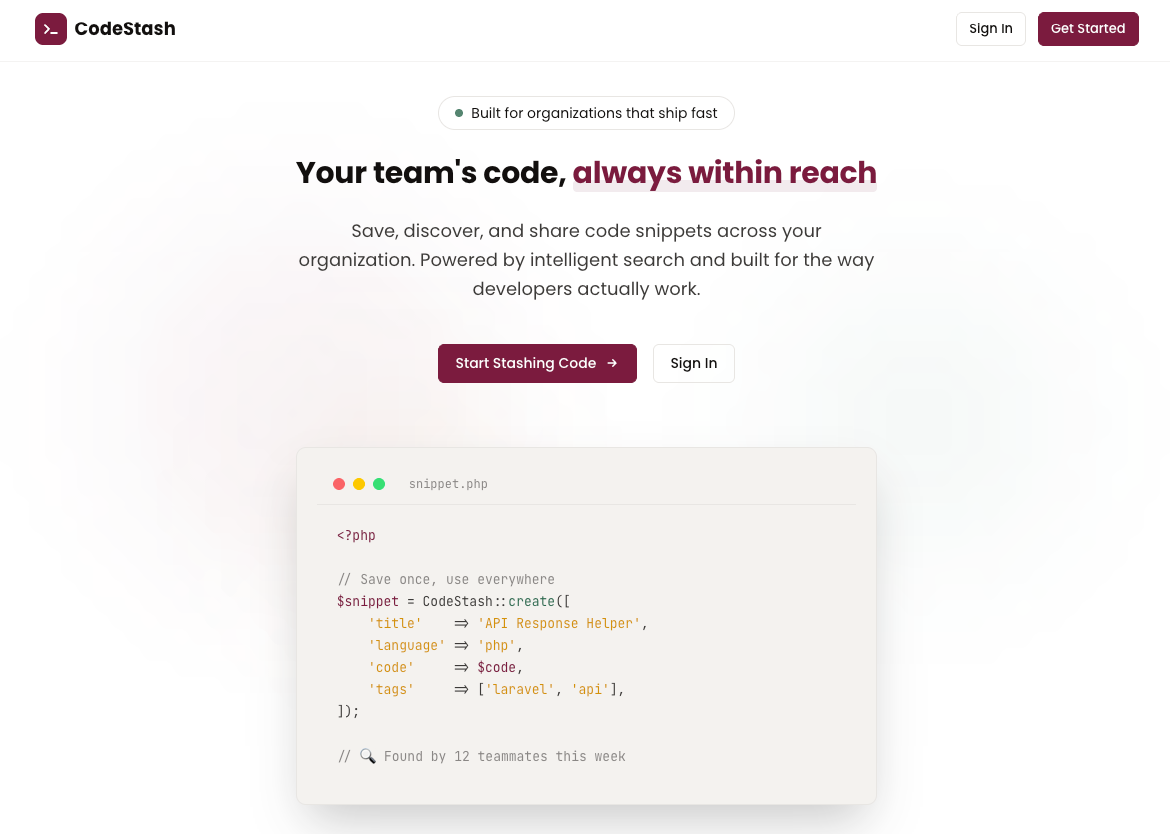
A collaborative code snippet storage and sharing platform for organizations.
Built for the Digital Innovation Center, University of the Philippines Los Baños.
About
CodeStash is a private, organization-scoped code snippet manager where team members can save, tag, search, and share reusable code snippets. It eliminates repeated work by making reusable code discoverable through fuzzy search, tag filtering, and AI-powered semantic search.
Key Features
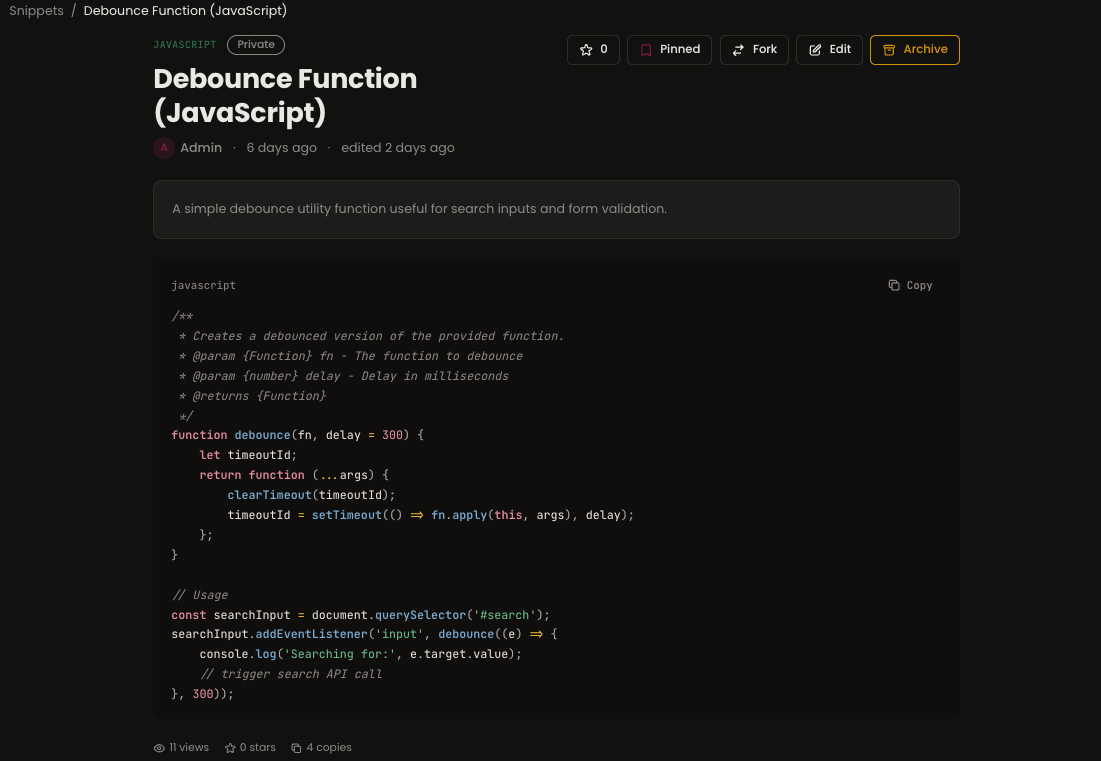
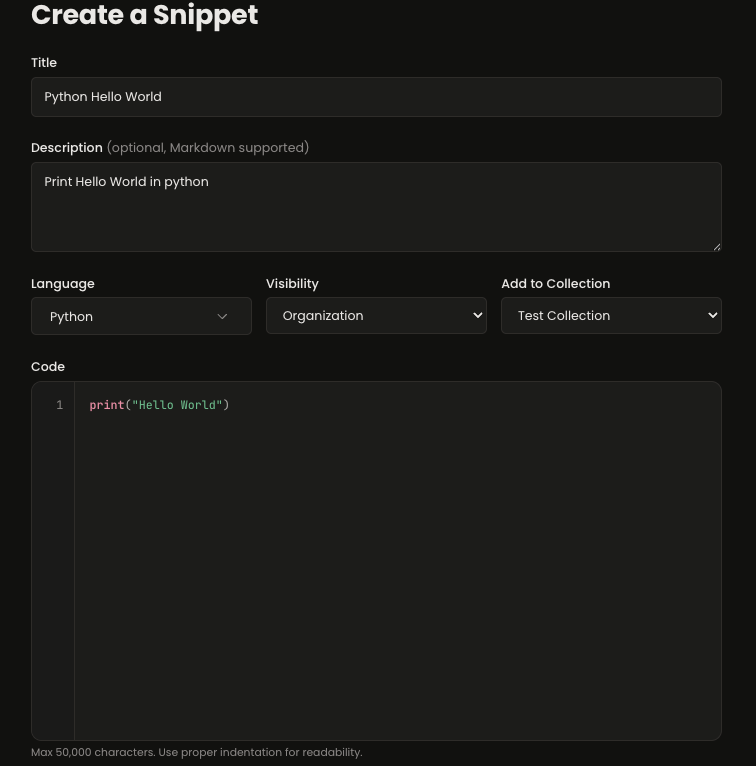
- Snippet Management — Create, edit, fork, version, and organize code snippets with syntax highlighting for 50+ languages
- Smart Search — Fuzzy full-text search (Meilisearch) + semantic/intent search (Gemini embeddings) with hybrid ranking
- Tagging System — Organization-wide shared tag library with autocomplete, filtering, and color coding
- Collections — Group snippets into nested folders (up to 3 levels), private or shared
- User Profiles — Public feed showcasing a user's accessible snippets alongside personal account settings (secure password changing, etc.)
- Collaboration — Threaded comments with
@mentions, starring, pinning, forking, and activity feeds - Organization Invitations — Secure email invitation workflow for non-whitelisted domain users (admin-managed)
- Notifications — In-app and email notifications for mentions and comments
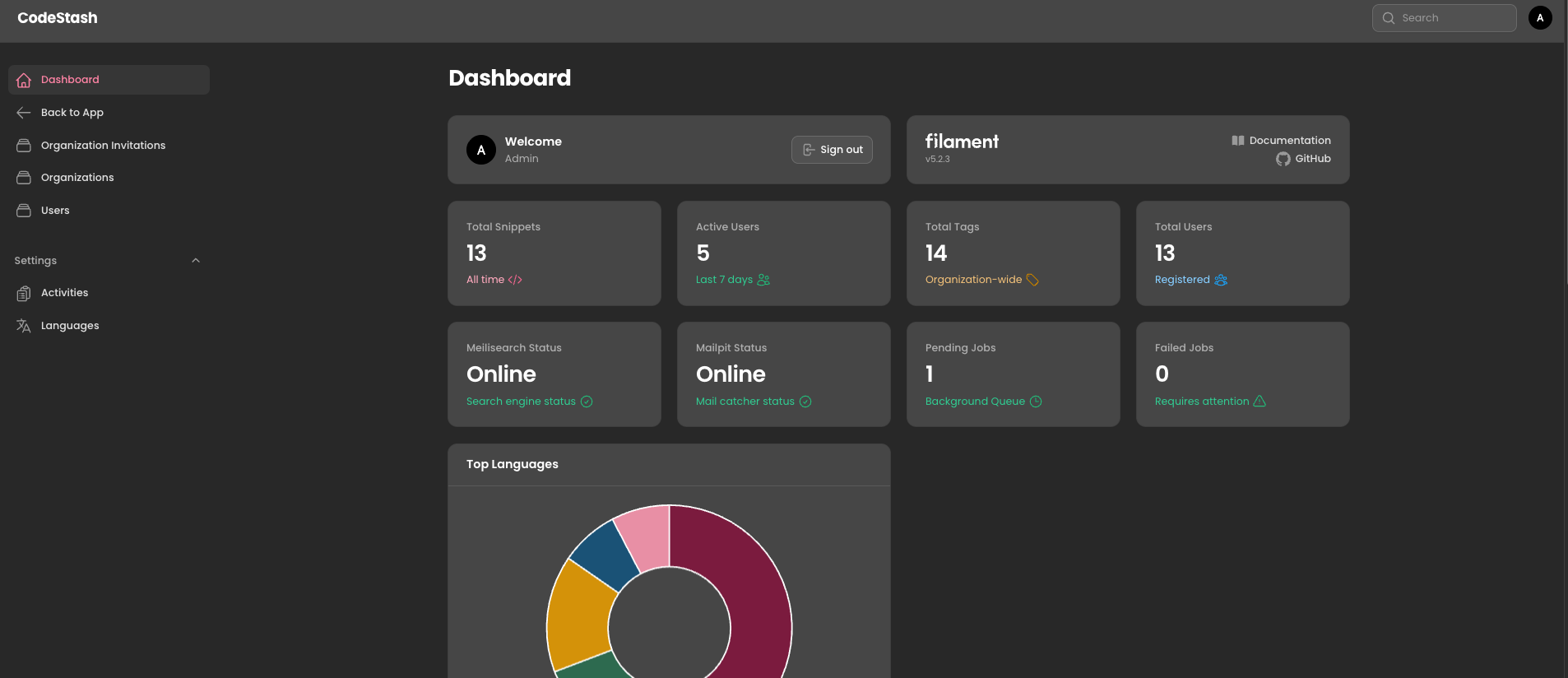
- Admin Panel — Full Filament-powered admin with user management, tag moderation, analytics, and audit logs
- REST API — Token-based API (Sanctum) for VS Code extension and CLI tool integration
- Dark Mode — Full dark mode support with a custom brand-aligned color palette
Tech Stack
| Layer | Technology | Version |
|---|---|---|
| Language | PHP | 8.4+ |
| Framework | Laravel | 12.x |
| Admin Panel | Filament | 5.x |
| Frontend Reactivity | Livewire | 4.x |
| JS Sprinkles | Alpine.js | 3.x |
| CSS | Tailwind CSS | 4.x |
| Database | MySQL | 8.4+ |
| Search | Laravel Scout + Meilisearch | 1.35.x |
| Semantic Search | Meilisearch vector search + Gemini Embeddings | — |
| Authentication | Laravel 12 Starter Kit (Livewire) | Built-in |
| Authorization | Spatie Laravel Permission | 7.x |
| Code Highlighting | Shiki / Prism.js | Latest |
| Queue / Cache | Redis | 7.x |
| Testing | Pest PHP | 4.x |
| AI SDK | google/genai | Latest |
Requirements
- PHP 8.4+
- Composer 2.x
- Node.js 20+ & npm 10+
- MySQL 8.4+
- Redis 7.x
- Meilisearch 1.35+ (for search features)
- Gemini API key (for semantic search)
Installation & Setup
1. Fork the Repository
To contribute or deploy your own instance, first fork this repository to your own GitHub account.
- Click the "Fork" button at the top right of this repository.
- Clone your fork locally:
git clone https://github.com/VoxDroid/CodeStash.git
cd CodeStash
2. Install Dependencies
You'll need PHP 8.4+, Node.js 20+, and Composer.
composer install
npm install
3. Background Services
CodeStash relies on Meilisearch for ultra-fast fuzzy search, Mailpit for catching local emails during development, and Redis for caching and background queues.
macOS (Homebrew)
# Install services
brew install redis meilisearch mailpit

# Start services
brew services start redis
brew services start meilisearch
brew services start mailpit
Linux (Ubuntu/Debian)
# Install Redis
sudo apt update && sudo apt install redis-server

# Install Meilisearch
curl -L https://install.meilisearch.com | sh
sudo mv ./meilisearch /usr/local/bin/

# Install Mailpit
sudo sh < <(curl -sL https://raw.githubusercontent.com/axllent/mailpit/develop/install.sh)

# Start services (run each in a separate terminal or as a service)
redis-server
meilisearch
mailpit
Windows
We recommend using Docker Desktop or WSL2 for the best experience. Alternatively, you can download the binaries:
- Meilisearch: Download
meilisearch-windows-amd64.exefrom GitHub Releases. - Mailpit: Download
mailpit-windows-amd64.zipfrom GitHub Releases. - Redis: Use Memurai or run it via Docker:
docker run -d -p 6379:6379 redis.
4. Environment Setup
Copy the example environment file:
cp .env.example .env
php artisan key:generate
Important .env configurations:
- Database (
DB_*): Create a local MySQL database namedCodeStash. LeaveDB_PASSWORDblank if using default local settings. - Mail (
MAIL_*): Ensure your mailer is set up to point to your new local Mailpit instance.
You can view all generated local emails (like user verification) by navigating your browser toMAIL_MAILER=smtp MAIL_HOST=127.0.0.1 MAIL_PORT=1025http://localhost:8025. - Queue (
QUEUE_CONNECTION): Set todatabaseorredis. (We use background workers to index search results and calculate stats). - Meilisearch (
MEILISEARCH_*): Default port is7700. No master key is required for local dev out of the box. - Gemini (
GEMINI_API_KEY): Go to the Gemini Studio Platform and generate a new secret API key to enable Semantic and Hybrid Search features.
5. Database Setup & Seeding
First, run the initialization scripts to ensure the database exists:
php scripts/create_db.php
Then, run the migrations and seed demo data (roles, users, and snippets):
php artisan migrate:fresh --seed
6. Search Indexing (Optional)
Once Meilisearch is running and the database is migrated/seeded, you can push the snippets into the search engine. This step is optional; the application will function normally without it, though fuzzy search will be unavailable.
php artisan scout:import "App\Models\Snippet"
7. Build Frontend Assets
Compile Tailwind CSS and Vite assets:
npm run build
Development
Start all primary development services simultaneously with a single command:
composer dev
This runs concurrently:
- Laravel CLI server
- Queue worker (processes jobs like embeddings and stats)
- Log watcher
- Vite dev server (HMR for Tailwind/JS)
Individual Commands Reference
| Command | Description |
|---|---|
php artisan serve | Start the Laravel dev server |
php artisan queue:work | Start processing the background queue |
brew services start mailpit | Start local email catcher (UI at 8025) |
meilisearch | Run Meilisearch manually (runs on 7700) |
npm run dev | Start Vite with HMR |
npm run build | Build production assets |
php artisan scout:import "App\Models\Snippet" | Index snippets in Meilisearch |
🚀 Production Configuration
SMTP Setup
For production environments, you should replace Mailpit with a real SMTP provider (e.g., Postmark, Mailgun, Amazon SES). Update your .env file:
MAIL_MAILER=smtp
MAIL_HOST=your-smtp-host.com
MAIL_PORT=587
MAIL_USERNAME=your-username
MAIL_PASSWORD=your-password
MAIL_ENCRYPTION=tls
MAIL_FROM_ADDRESS="no-reply@yourdomain.com"
MAIL_FROM_NAME="${APP_NAME}"
🛠️ Code Quality & Tooling
CodeStash includes a strict, automated toolchain to maintain high code quality standards. We use a combination of Composer scripts and npm scripts to check formatting, perform static analysis, run tests, and validate frontend builds.
Composer Scripts
You can run these custom commands directly via Composer. It is recommended to run composer check before submitting any pull requests.
| Command | Description | What it does |
|---|---|---|
composer update | Update Dependencies | Updates PHP dependencies to their latest compatible versions based on composer.json. |
composer lint | Code Style Check | Runs Laravel Pint to check PHP files against the Laravel coding standard. |
composer lint:fix | Auto-format Code | Runs Laravel Pint and automatically fixes all styling issues (spacing, imports, etc.). |
composer analyse | Static Analysis | Runs Larastan/PHPStan (Level 5) to catch type errors, undefined properties, and logic holes without running the code. |
composer test | Unit & Feature Tests | Runs the full Pest PHP / PHPUnit test suite. |
composer check | Run Everything | Runs Pint (lint), PHPStan (analyse), Vite (frontend compile), and Pest (tests) sequentially. |
Frontend Compilation
| Command | Description | What it does |
|---|---|---|
npm run lint | Frontend Build Check | Runs Vite build to ensure Tailwind v4 and JS assets compile cleanly. Used in CI. |
npm run build | Production Build | Compiles minified CSS and JS for production deployment. |
Note on Recent Tooling Workarounds & Fixes
During the implementation of Larastan (Level 5), we addressed several strict-typing requirements:
- Model Typing: Added comprehensive
@propertydocblocks to Eloquent models (Snippet,User,SnippetComment,SnippetVersion) so PHPStan understands dynamic attributes and relationships without needing inline type-casts. - Collection Optimization: Fixed
noUnnecessaryCollectionCallwarnings inTagServiceby replacing in-memory collectiondiff()operations with database-levelwhereNotIn()queries. - Paginator Contracts: Refactored
SearchServiceto use->items()instead of the concrete->getCollection()to strictly adhere to theLengthAwarePaginatorinterface. - False Positives (IDE): You may see warnings in your IDE regarding
@variantinapp.css(Tailwind v4 syntax) orstdClass::delete()calls. These are false positives from the internal IDE parser, not the actual toolchain. Thecomposer analysecommand is the single source of truth. - Meilisearch Resilience: We implemented global exception handling for
CommunicationExceptionand database transactions across all snippet mutation methods. This prevents application crashes and database-search desynchronization if the Meilisearch service is unreachable or times out. - Dynamic Language Management: Removed hardcoded language lists. Admins can now manage supported programming languages directly from the Filament Admin Panel (Settings > Languages). We've included over 70+ presets including Mermaid, Markdown, Blade, Solidity, and many more. Only active languages appear in snippet forms and search filters.
- Admin Navigation: Added a "Back to App" button in the admin sidebar for quick access to the main user dashboard.
📂 Project Structure
CodeStash/
├── app/
│   ├── Filament/          # Filament admin resources & widgets
│   ├── Http/
│   │   ├── Controllers/   # Web & API controllers
│   │   ├── Middleware/     # Custom middleware (org scoping)
│   │   └── Requests/      # Form request validation
│   ├── Jobs/              # Queued jobs (embeddings, notifications, indexing)
│   ├── Livewire/          # Livewire components (search, editor, comments)
│   ├── Models/            # Eloquent models
│   ├── Notifications/     # Notification classes
│   ├── Policies/          # Authorization policies
│   └── Services/          # Business logic services
├── database/
│   ├── migrations/        # Database migrations
│   └── seeders/           # Database seeders
├── docs/
│   ├── project_overview.md  # Full project specification
│   └── checklist.md         # Implementation progress tracker
├── resources/
│   ├── css/               # Tailwind 4 CSS with design tokens
│   ├── js/                # JavaScript entry point
│   └── views/             # Blade templates
│       ├── layouts/       # App & guest layouts
│       ├── snippets/      # Snippet CRUD views
│       ├── dashboard/     # Dashboard views
│       ├── collections/   # Collection views
│       └── livewire/      # Livewire component views
├── routes/
│   ├── web.php            # Web routes
│   ├── api.php            # API routes (v1)
│   └── console.php        # Console commands & schedules
└── tests/
    ├── Feature/           # Feature tests
    └── Unit/              # Unit tests
Documentation
- Project Overview — Complete project specification including architecture, database design, features, API design, and design guidelines
- Implementation Checklist — Granular task tracker across all development phases
Development Roadmap
| Phase | Focus | Timeline |
|---|---|---|
| Phase 1 | Foundation — Auth, models, snippet CRUD, tags, syntax highlighting | Weeks 1–3 |
| Phase 2 | Search & Discovery — Meilisearch, fuzzy search, tag filtering | Weeks 4–5 |
| Phase 3 | Collaboration — Comments, mentions, starring, versioning, forking, notifications | Weeks 6–7 |
| Phase 4 | Admin Panel — Filament resources, analytics widgets, audit logs | Week 8 |
| Phase 5 | Semantic Search & Polish — Gemini embeddings, hybrid search, collections, trending | Weeks 9–10 |
| Phase 6 | API & Extensions — REST API, VS Code extension, CLI tool, import/export | Weeks 11–12 |
Design
CodeStash follows a custom design system built around the DIC brand identity:
- Colors: DIC Crimson (
#7B1C3E), Forest Green (#2D6A4F), Gold (#D4920A) + warm neutrals - Typography: Poppins (UI) + JetBrains Mono (code)
- Components: Cards, tags, code viewer, search bar — all with micro-animations
- Dark mode: Full support with lightened brand color variants for contrast
See Section 14 of the Project Overview for full design specifications.
Contributing & Forking
- Fork the repository and create your feature branch:
git checkout -b feature/my-cool-feature - Commit your changes following conventional commits:
git commit -m "feat: added new awesome feature" - Push to your fork:
git push origin feature/my-cool-feature - Submit a Pull Request against the main repository.
License
This project is proprietary software built for the Digital Innovation Center, UPLB.
Built with ❤️ by the DIC Team using Laravel 12, Filament 5, and Livewire 4.